Queue media. See what's in it.
A desktop player designed to inspect
every layer of a media file.
Step cleanly forward or back, isolate any channel,
and search every word, spoken or captioned.
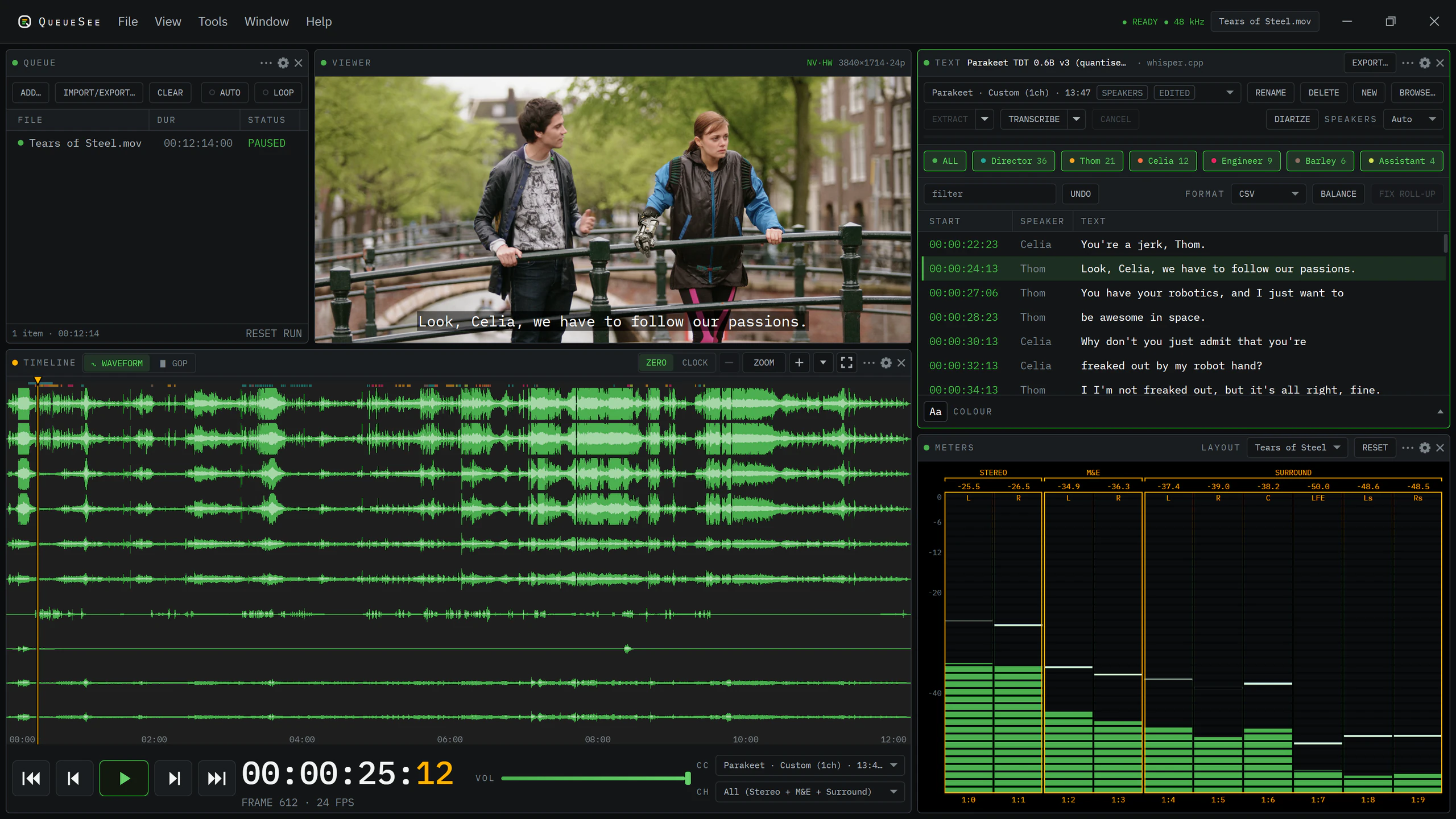
Every frame, forward or back.
Step through video one frame at a time in either direction, even in delivery formats where standard players jump or stall. Shuttle forward or backward at up to 16× speed, or scrub the timeline to find your place.
Every audio channel, isolated.
Monitor multi-channel audio track by track, and isolate any channel or stereo pair directly from the meter panel. Synchronised waveforms follow the playback so you can see changes in sound before you hear them.
Every word, spoken or captioned.
Generate speaker-separated transcripts on your computer or in the cloud, or load existing subtitles directly from the file. Search any line of dialogue to jump straight to that moment, edit wording or timing, and export updated captions.
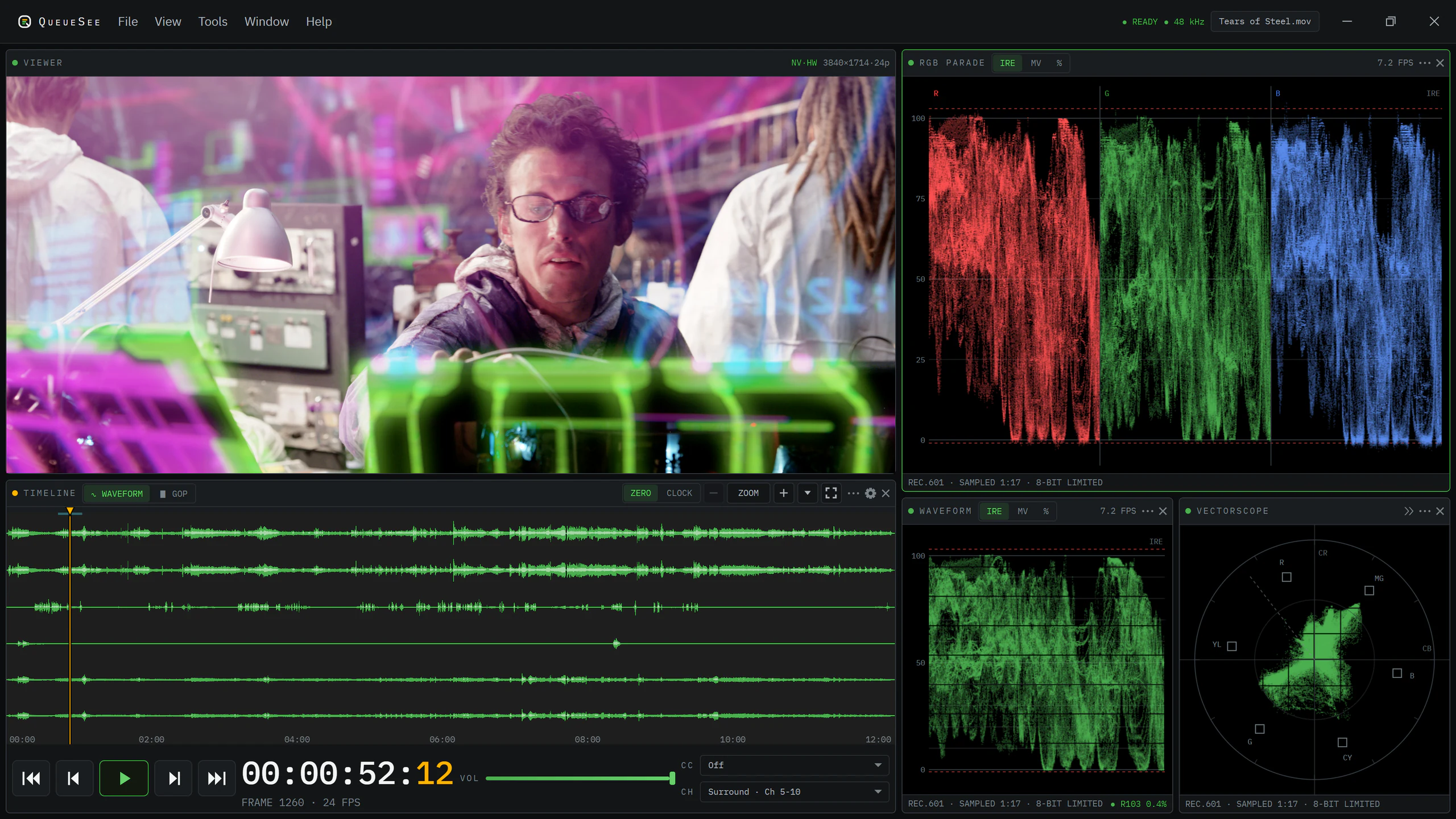
Accurate colour and live scopes.
Monitor video with faithful colour representation and real-time signal scopes. Waveform, RGB parade, vectorscope and histogram tools trace the frame as it plays, highlighting clipping, colour casts and exposure issues.
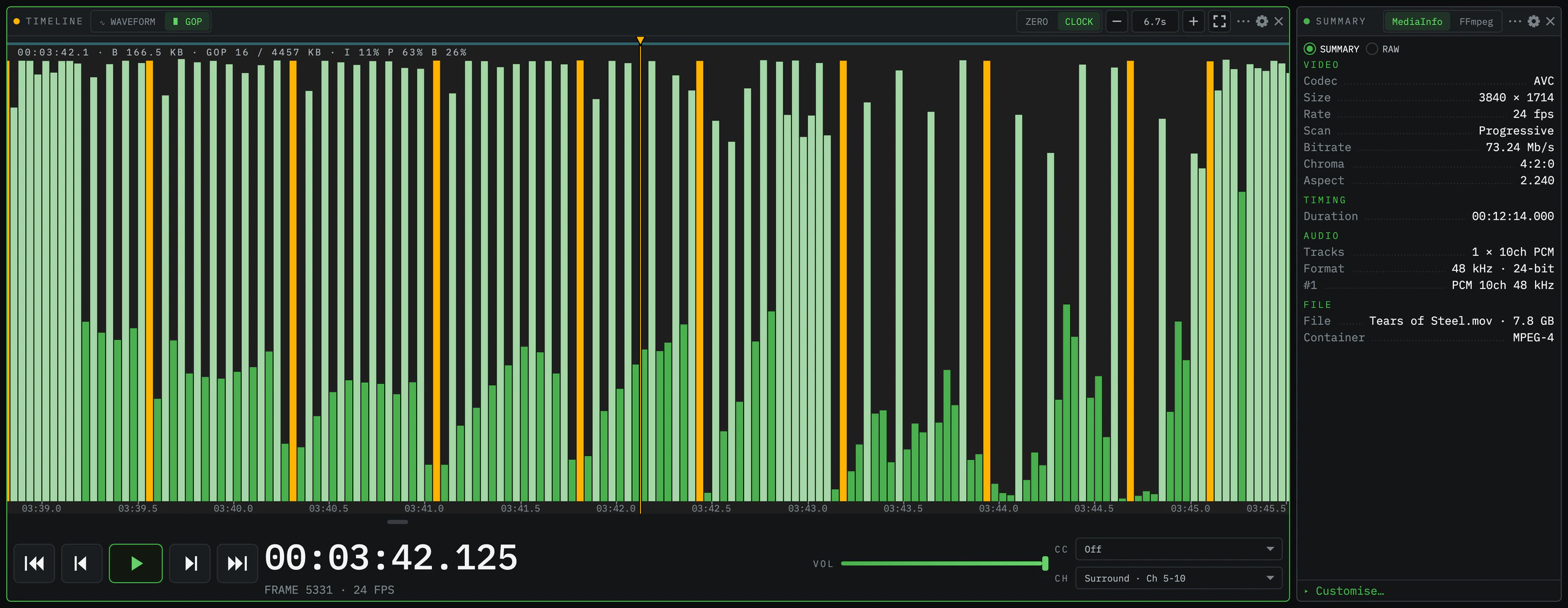
Under the hood of every file.
Read deep track metadata for video, audio and subtitles without launching separate analysis tools. Switch the timeline to GOP view to see per-frame byte sizes, keyframe cadences, and compression structures straight from the file.
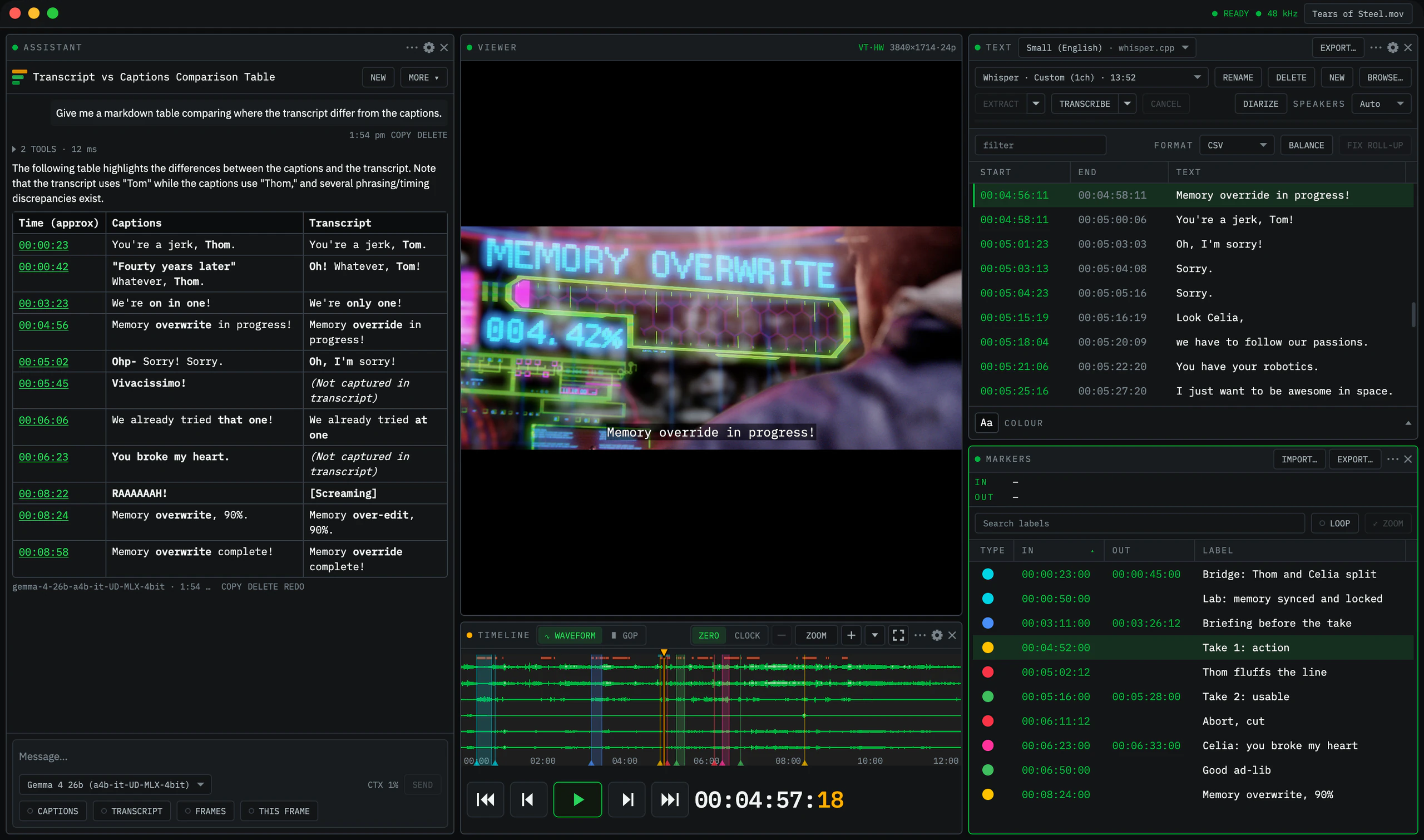
Timeline markers and AI logging.
Drop and label colour-coded markers across the timeline without interrupting playback. Open the Assistant panel to let AI compare dialogue against captions, spot discrepancies, and draft markers ready to export to your editing software.
Find faults without watching every second.
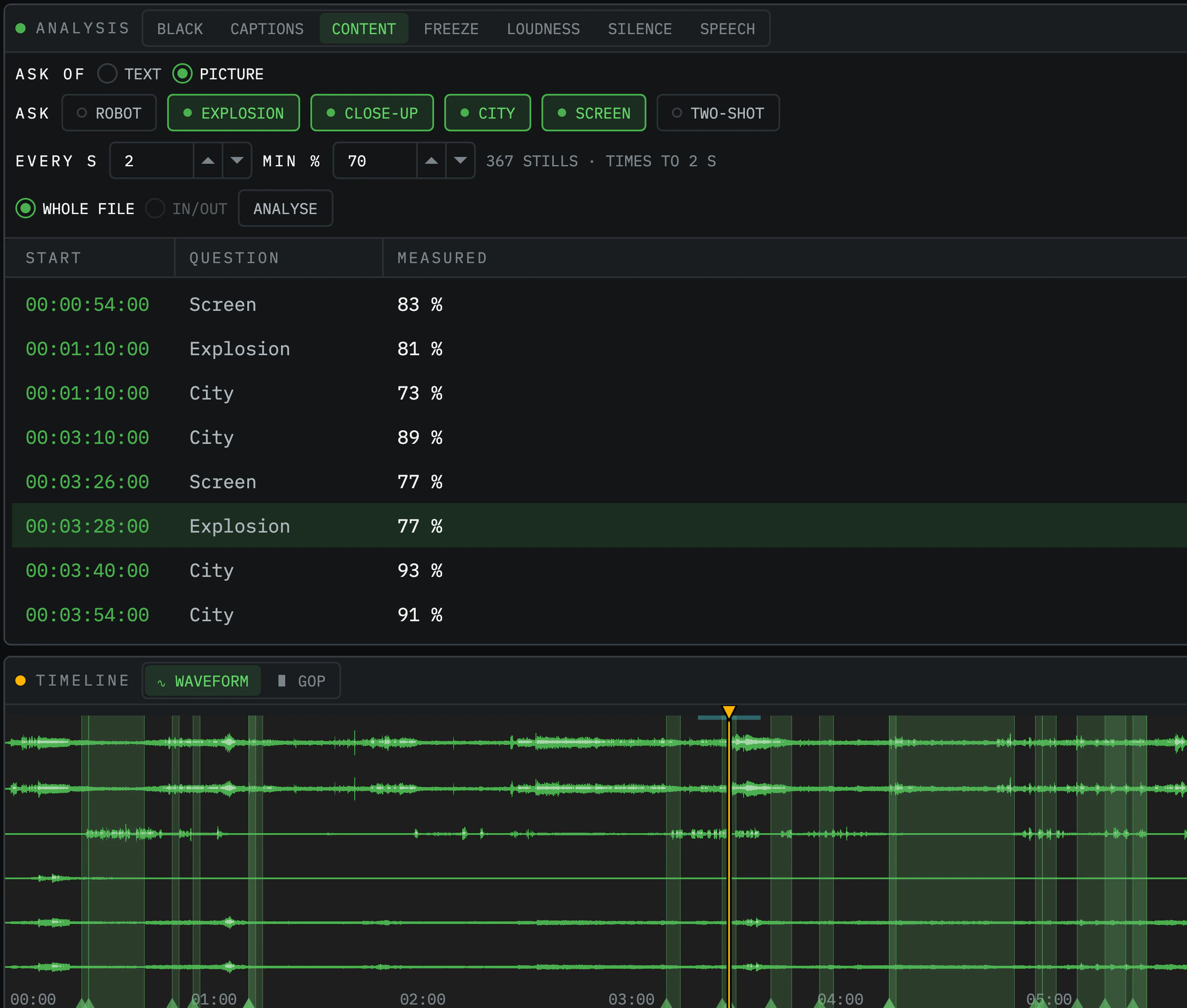
Automate routine checks across video, audio and captions, flagging black frames, silent tracks, and loudness spikes in seconds. Query the picture or dialogue with AI to locate specific scenes or objects, and turn any finding into a timeline marker.
QueueSee is made by Nathan Butler, drawing on twenty years in broadcast media and built with AI assistance. Its custom playback engine puts the inspection tools of a broadcast suite inside an everyday desktop player.
Follow along for updates
as QueueSee gets ready for release.